October 14, 2026 · BTCD Team
How to Get bdUSD With the Coinme App, in Three Steps
You do not need a crypto wallet, a browser extension or a seed phrase. If you can use the Coinme app, you can hold bdUSD.
bdUSD is the receipt token for the Bitcoin Dollar USD Vault. You put in USDC, a digital dollar, and the vault puts it to work. Your bdUSD is your share of the vault, and it is a dollar position: the vault earns in dollars instead of riding Bitcoin's price.
BTCD and bdUSD are different tokens. The images are illustrative app mockups with sample amounts. This walkthrough uses USDC on Ethereum to access bdUSD.
Use USDC on Ethereum for this guide. Coinme supports USDC on more than one network. The name "USDC" alone does not tell you which one you hold.
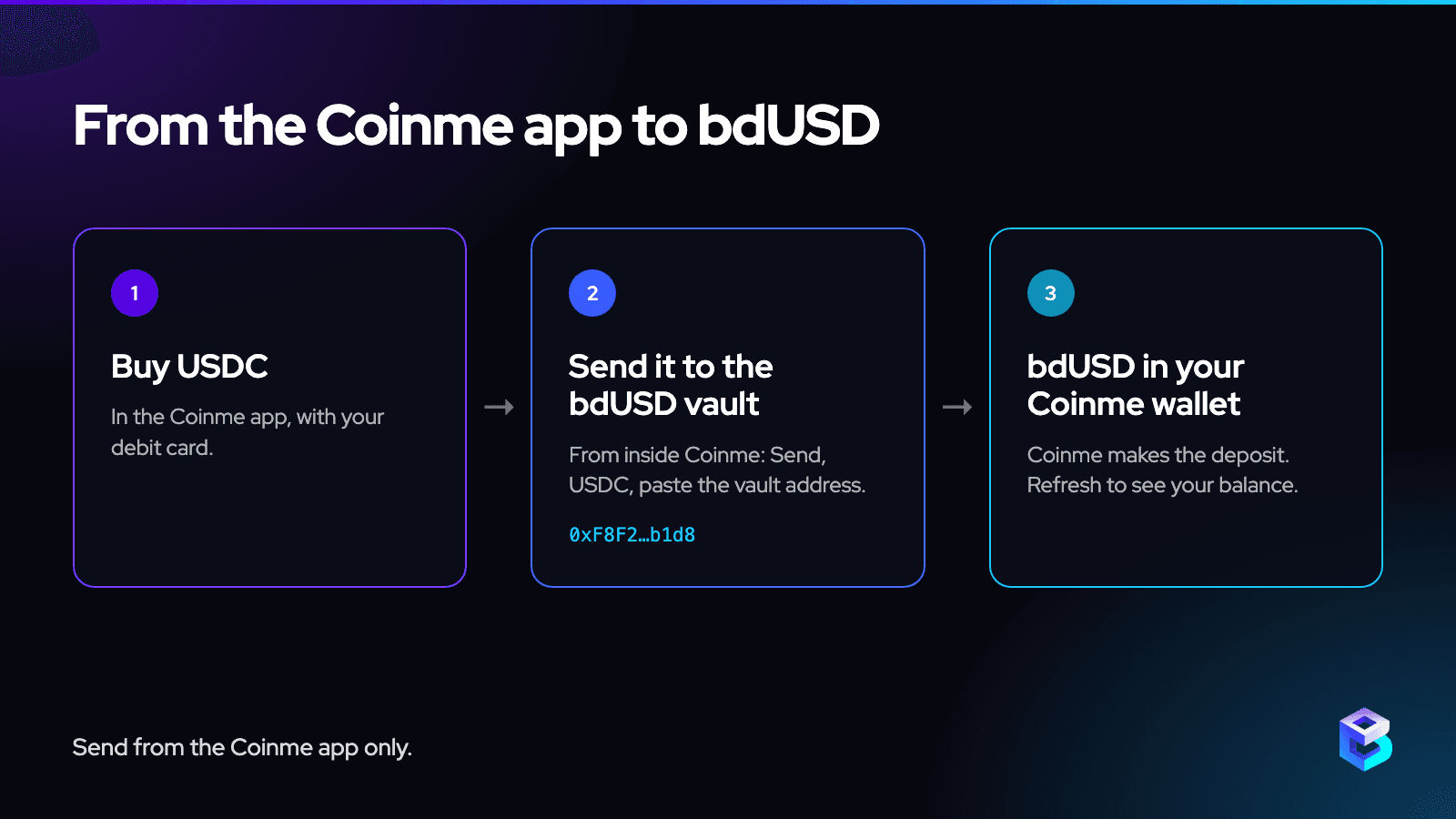
Here is the whole process.
Step 1: Get the Coinme app
Download Coinme for iPhone (App Store) or Android (Google Play) and create your account. Complete Coinme's identity verification before buying or sending.
Availability depends on your state and account. Coinme's supported-asset list currently lists USDC as unavailable in Texas. Make sure your account offers USDC on Ethereum before continuing.
Step 2: Buy or receive USDC on Ethereum
In the app, choose USDC on Ethereum, also called ERC-20 USDC, when buying with your debit card. Coinme also offers cash funding through participating stores and Coinstar kiosks; check which asset and network your chosen purchase provides.
If you already hold USDC somewhere else, choose Receive in Coinme and find USDC in the asset list. You can use Receive to find it even if USDC is not on your wallet home screen.
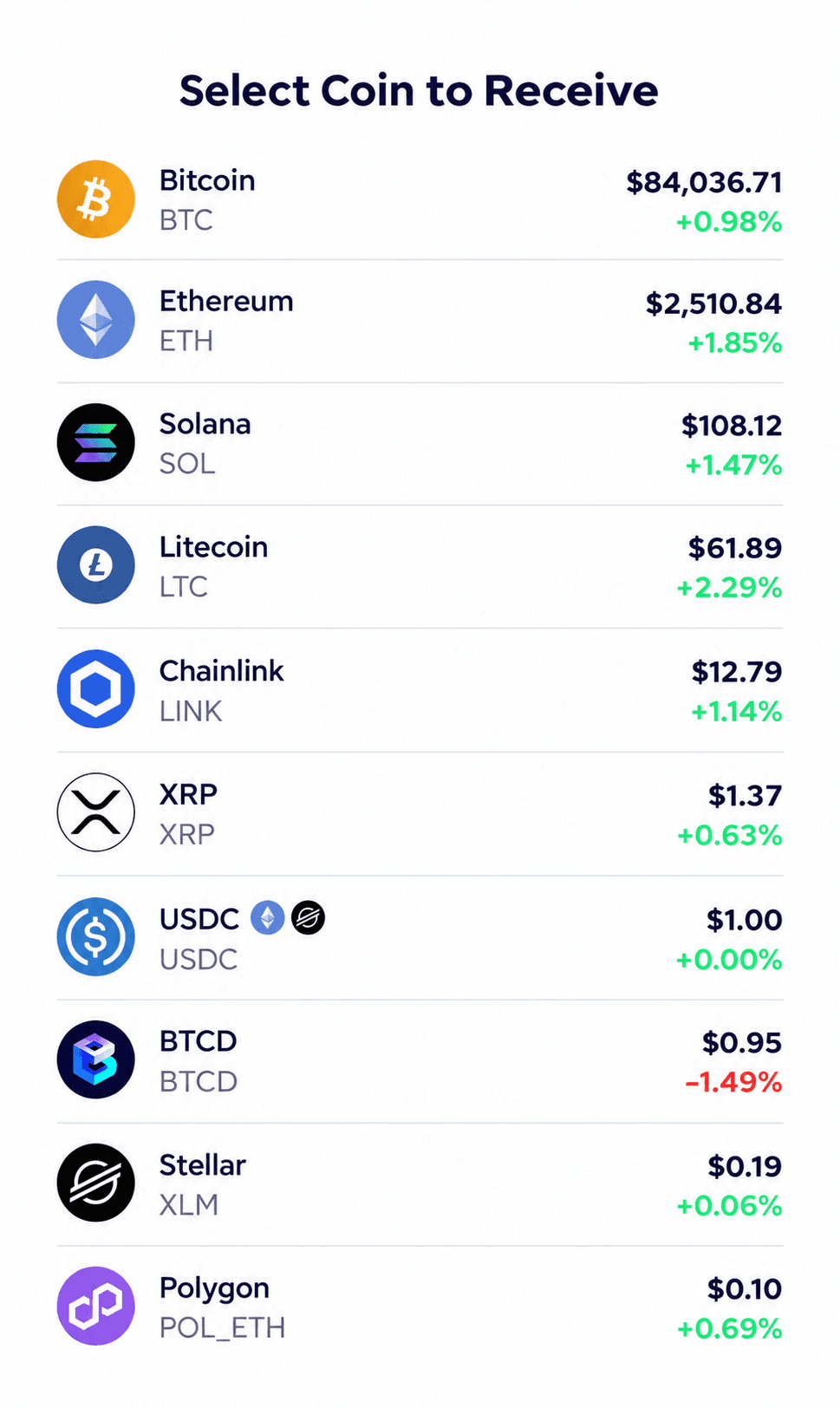
Illustrative Receive selector based on the Coinme app. Choose USDC for this guide; BTCD is a different token.
Open the Ethereum receiving details for USDC. Copy that address and choose Ethereum as the sending network in the other wallet or exchange. The networks must match.
How to tell the USDC balances apart
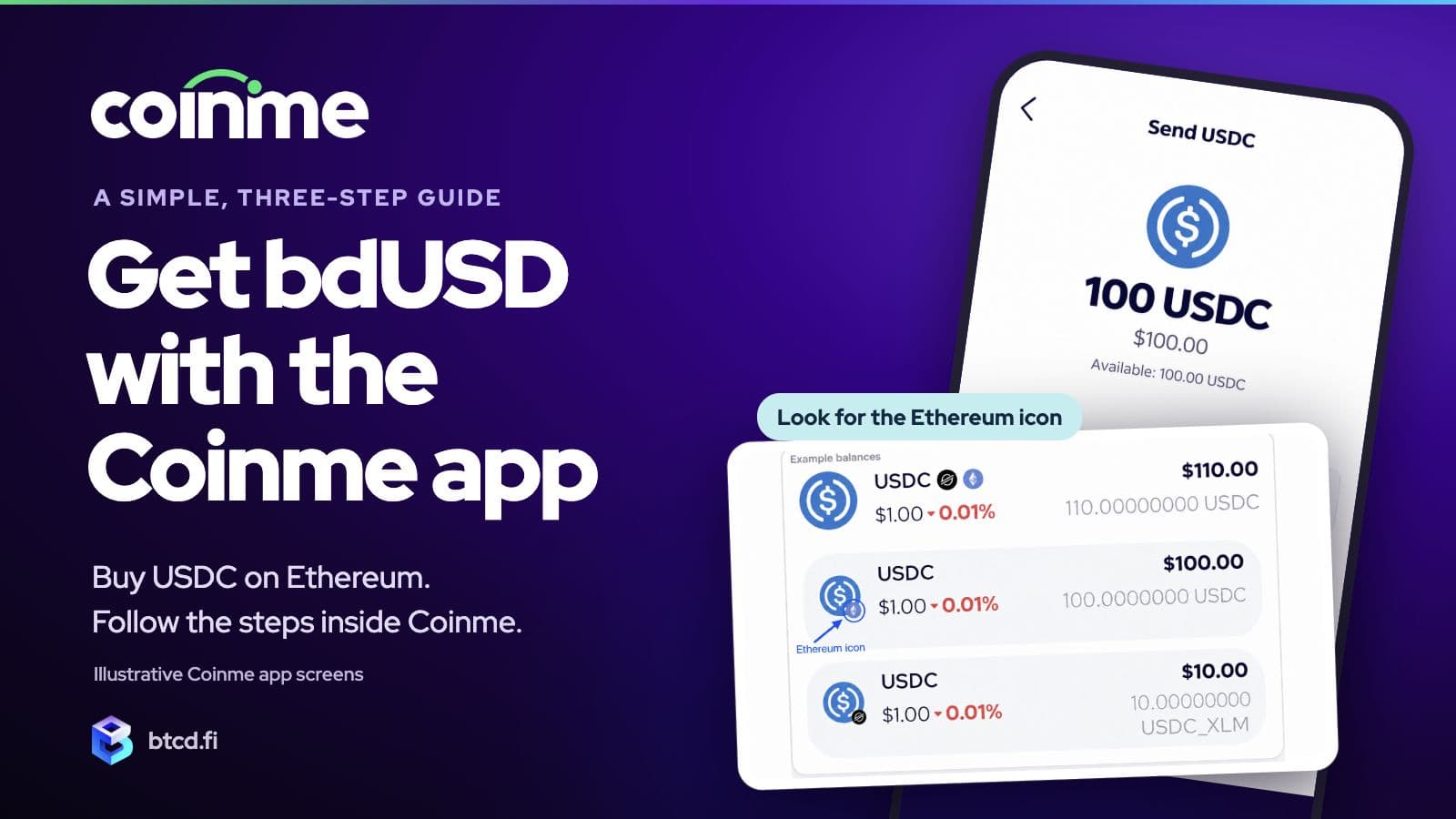
Coinme can show one USDC total even when your money is split across networks. Open the USDC balance to see the separate entries. The order of those entries can change, so identify the network by its icon and label.
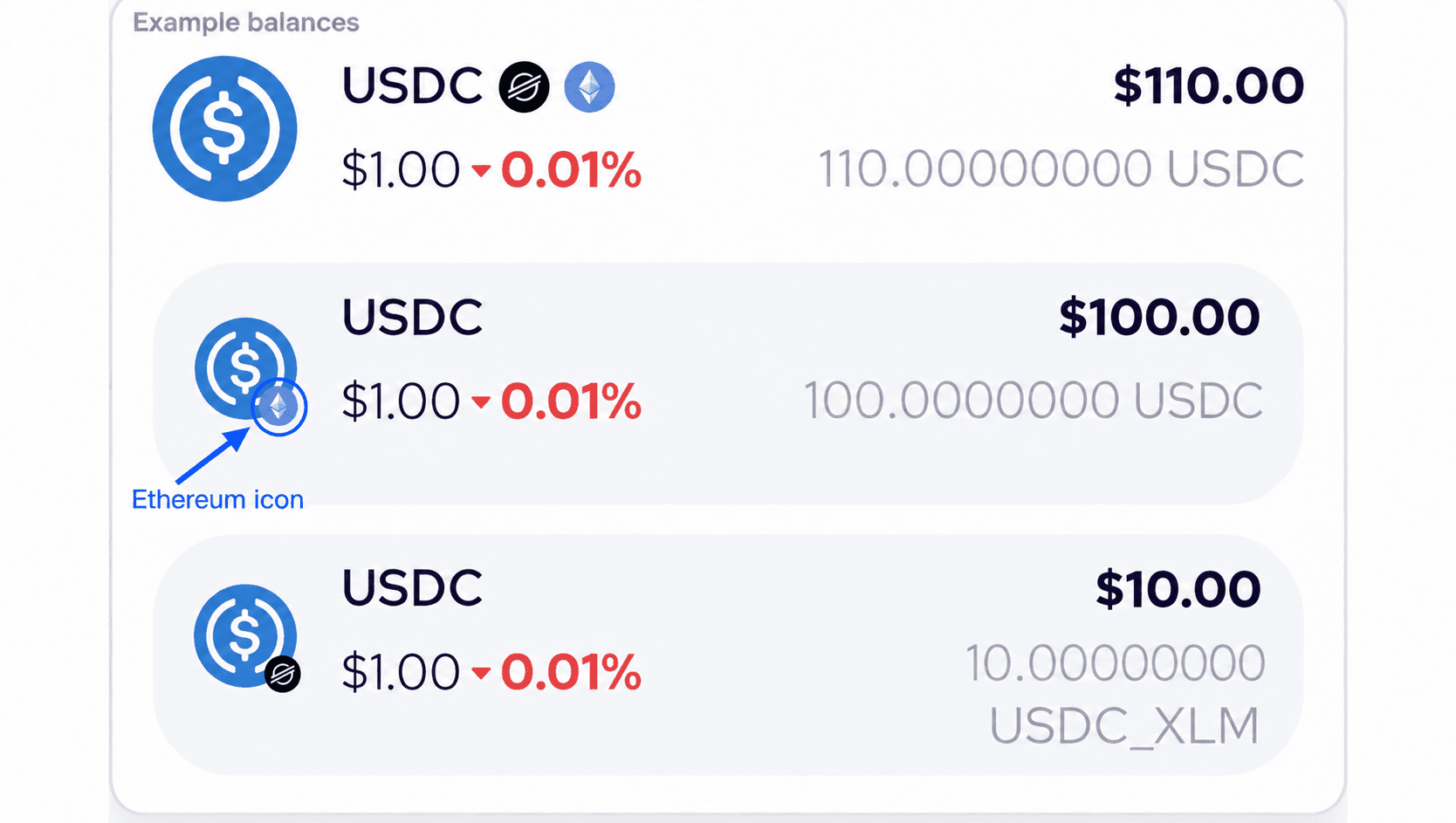
Choose USDC with the Ethereum diamond icon, wherever it appears in your list. The arrow marks that icon. The balances have been edited for this illustration: 100 USDC on Ethereum and 10 USDC on Stellar.
- Combined USDC balance: the total for the networks shown. It does not tell you which network is available to send.
- USDC_XLM with the Stellar icon: USDC on Stellar. This guide does not use that balance.
- USDC with the Ethereum diamond icon: USDC on Ethereum. This is the balance to use for the steps below.
Having a USDC total does not mean that amount is available on Ethereum. If you only see USDC_XLM, or cannot identify the Ethereum balance, stop here and check with Coinme Support.
Step 3: Send your USDC to the bdUSD vault, from inside Coinme
Stay inside the Coinme app. Choose Send, select your USDC on Ethereum balance, and paste the bdUSD vault address:
0xF8F226dA66244F89e70C5B5D1a5C5b0d505Eb1d8
Before confirming, check the Ethereum network, the full destination address, the amount and any fee shown by Coinme. If the network or address does not match, do not confirm.
This address is for the Coinme flow described here only. Coinme handles the deposit into the vault for you. Do not send USDC directly to it from MetaMask, Coinbase Wallet or another wallet: a plain token transfer does not mint bdUSD for the sender.
After the Coinme transaction completes, check your Coinme wallet for bdUSD. If the balance has not updated, refresh it and check the transaction status before trying again. Do not send a second time while the first transaction is still pending. If a completed transaction does not show the expected bdUSD balance, contact Coinme Support with the transaction details.
That's it.
What happens to your USDC
The USD Vault runs a simple, programmatic strategy. It holds sBTCD, the staked form of Bitcoin Dollar, and borrows wBTC against it. The wBTC debt offsets the Bitcoin half of the sBTCD, so the net position is in dollars. The vault keeps its loan at about half of its collateral and rebalances automatically. There is no lockup.
The vault runs on IPOR Fusion and Morpho, and its contract is source-verified on Etherscan. You can see its live rate and holdings any time at btcd.fi/vaults.
Questions
Do I need to understand crypto to do this? No. If you can send money in an app, you can do this.
Where do I see my balance? In your Coinme wallet, as bdUSD.
Can I use USDC on Stellar instead? These instructions cover USDC on Ethereum. USDC_XLM is a different network balance; the Stellar-to-bdUSD route is not covered here.